
Technical note,
Update Codemeter Server Search List
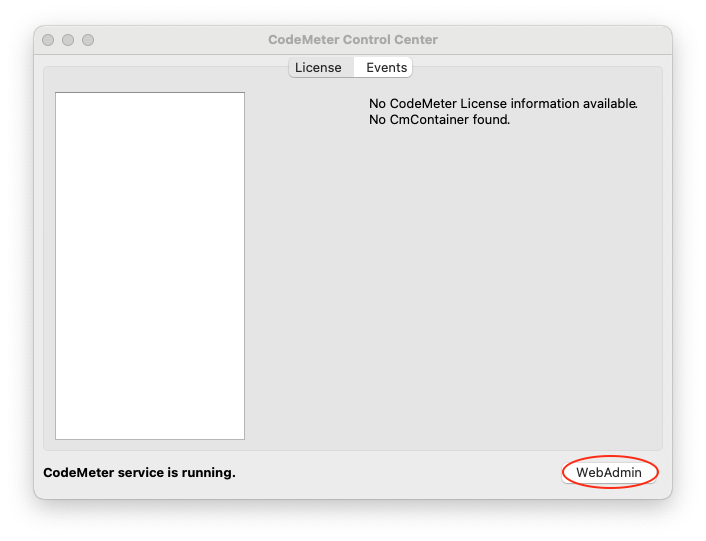
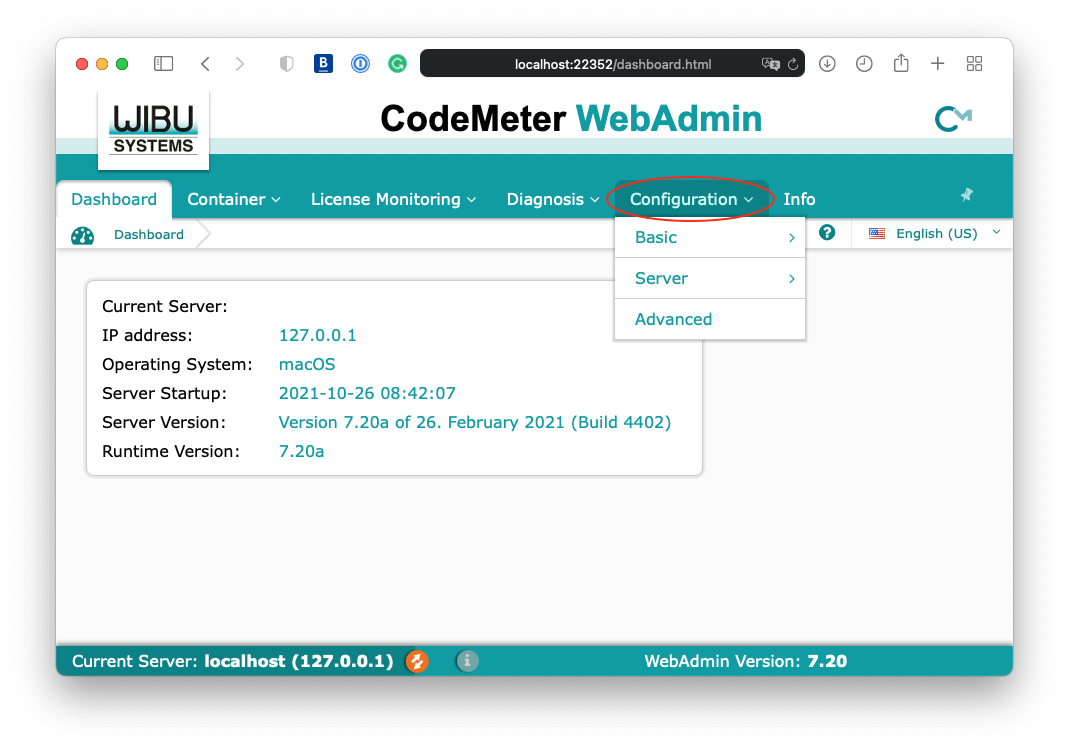
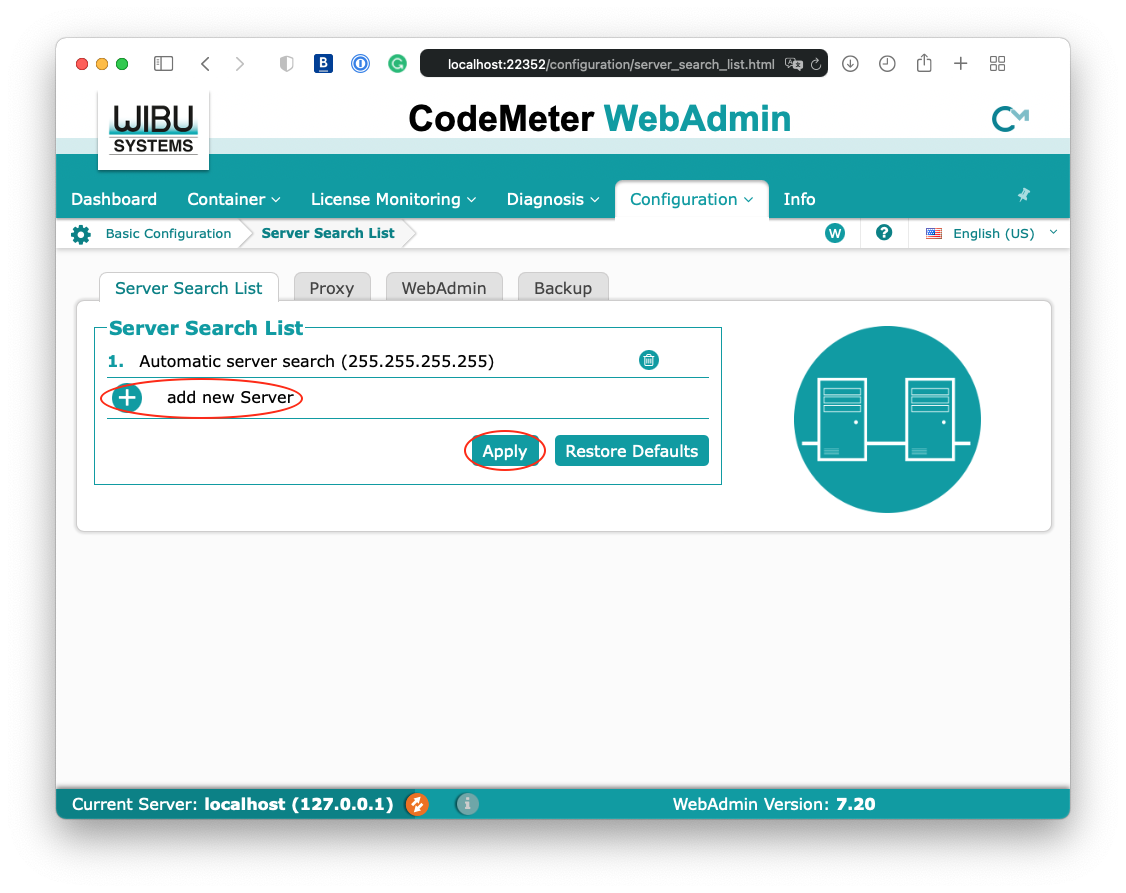
1. Fully quit all Archicad sessions and app 2. Open Codemeter app at /Applications/CodeMeter.app 3. Go to Webadmin 4. Go to Configuration 5. Click “add new Server” 6. Insert bimcloud url given by IT admin 7. Click “Apply” Before re-opening Archicad, ensure that network connection is established (e.g. you can connect to the file server)
1. Fully quit all Archicad sessions and app
2. Open Codemeter app at /Applications/CodeMeter.app
3. Go to Webadmin
4. Go to Configuration
5. Click “add new Server”
6. Insert bimcloud url given by IT admin
7. Click “Apply”
Before re-opening Archicad, ensure that network connection is established (e.g. you can connect to the file server)